Delivering fast and effective data analysis for Smartphones and Tablets
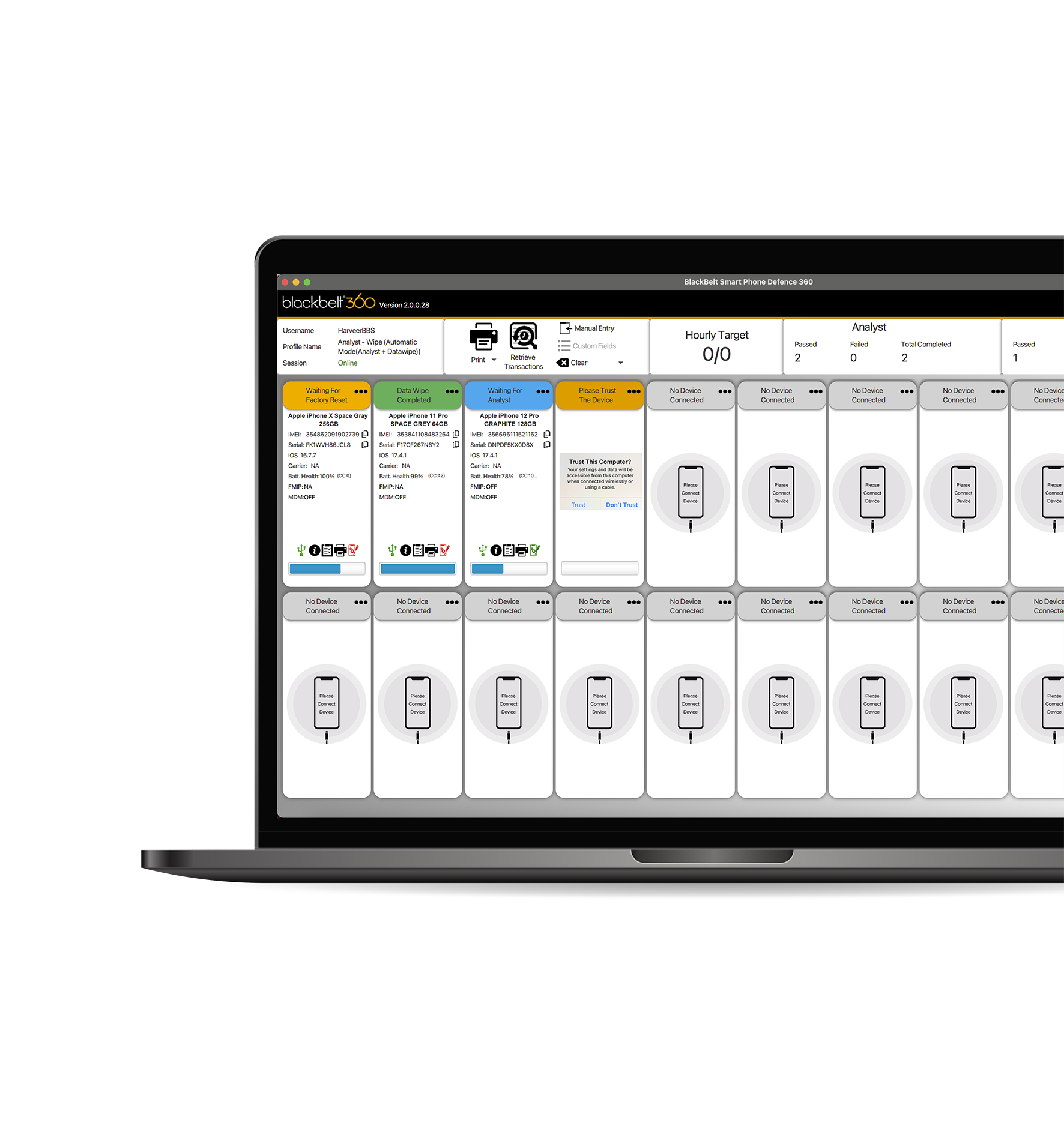
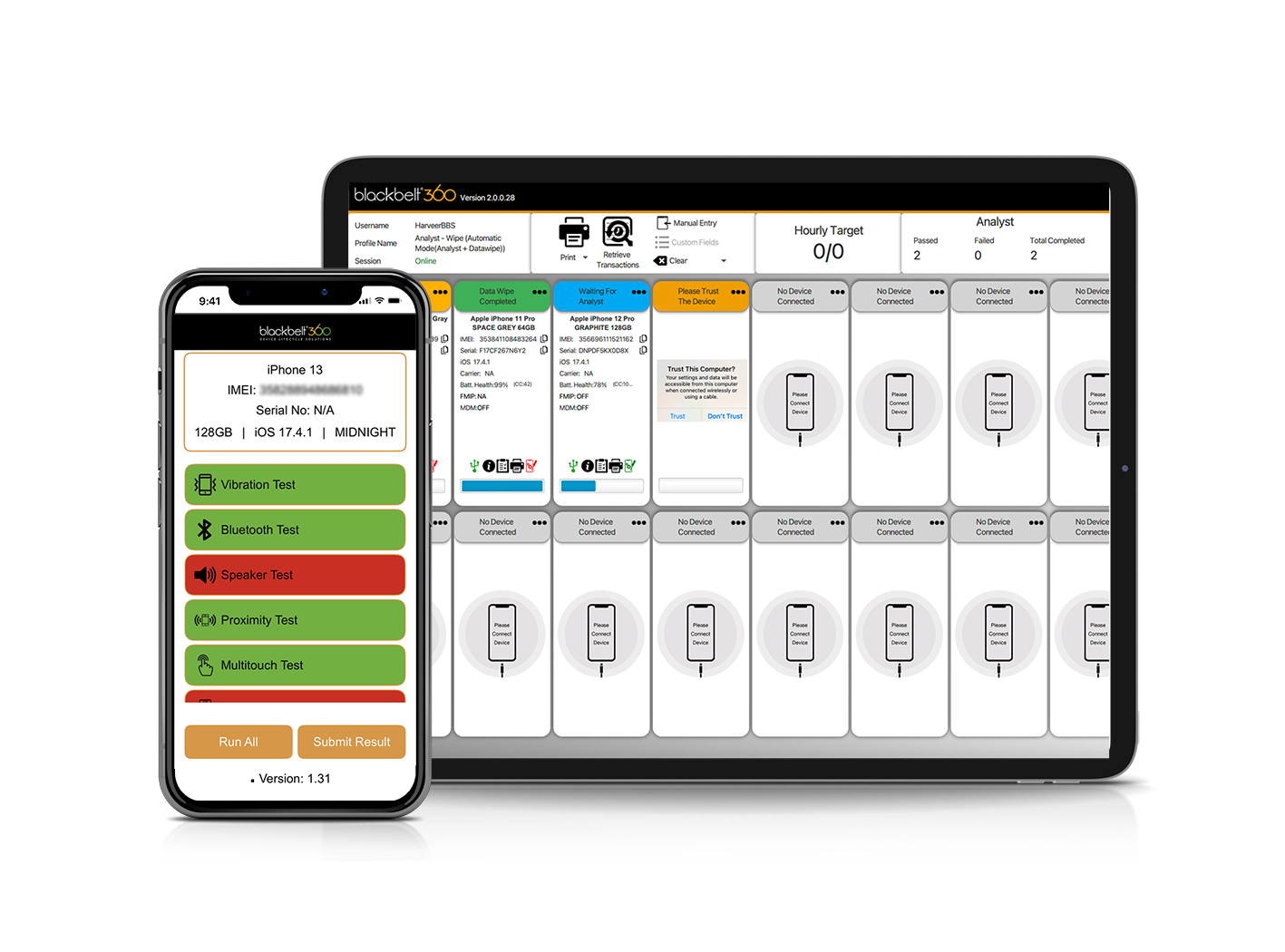
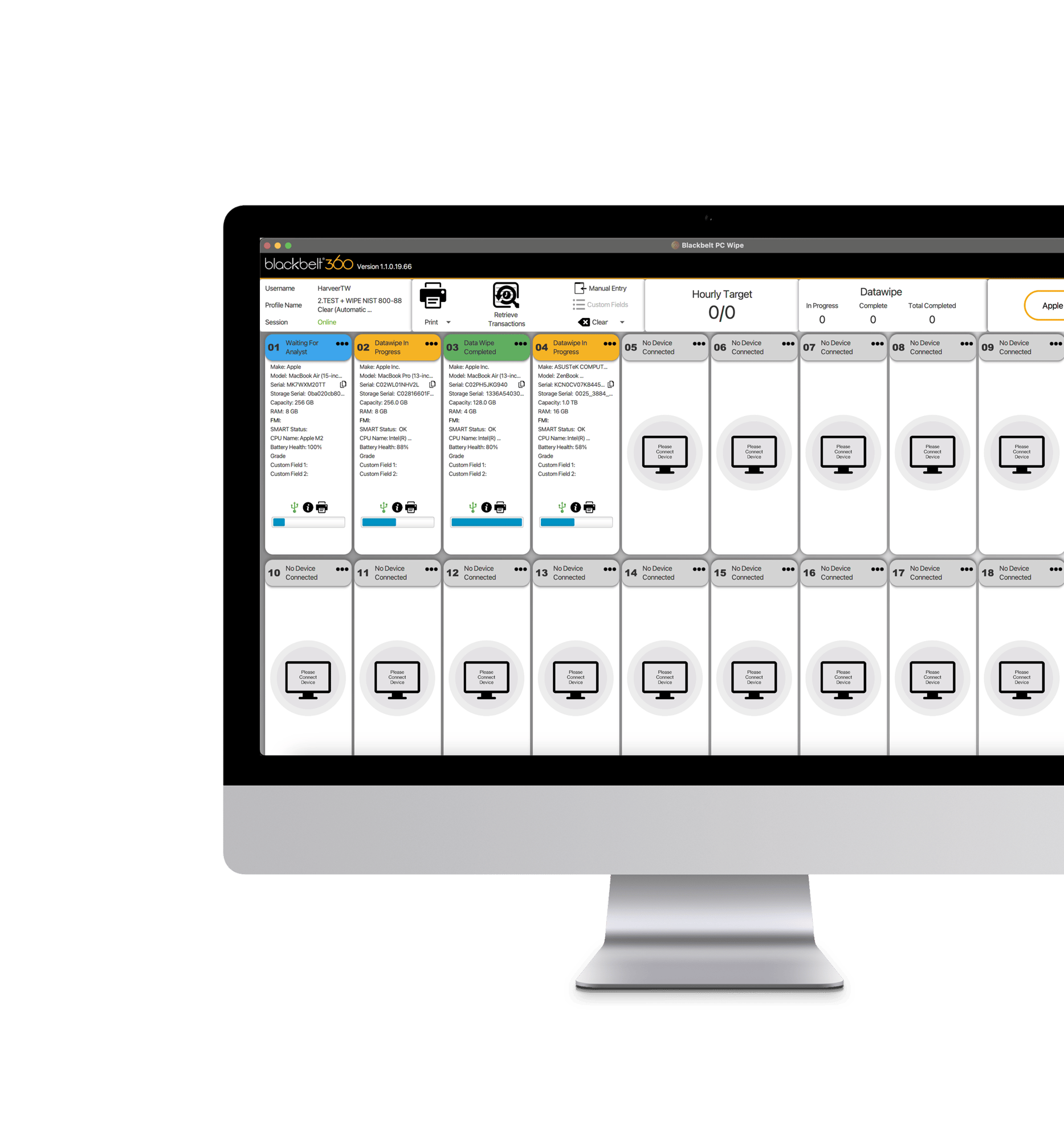
Blackbelt360's Diagnostic software carries out a comprehensive suite of tests for tech device refurbishers, generating complete repair records and grading multiple devices simultaneously. This versatile software works for mobiles and for Windows and Mac desktops.
Comprehensive Testing: Executes a full suite of tests, creates detailed repair records, and assigns grades to multiple devices simultaneously
Flexible Access: Available as both desktop and mobile applications, optimising the testing process for smartphones and Windows and Mac PCs with improved speed and reliability
Versatile Use: Ideal for retail and supply chain environments, demonstrating broad deployment potential
Efficient Documentation: Enables direct email dispatch of usage data and test certificates from the user interface
Carries out full Testing and applies Autograding Logic
Our Diagnostic software executes a robust suite of tests and automatically grades devices, improving accuracy and productivity. This system is globally recognised for its enhanced grading capabilities and can handle multiple devices simultaneously, making it invaluable in high-volume environments like warehouses and retail.
Offers Flexible Access Across multiple Platforms
Available as both desktop and mobile applications, our software ensures that tech device refurbishers, resellers and retailers can perform device diagnostics efficiently, whether in the field or at a work station.
Carries out Replacement Parts and Cloud Checks
Our Diagnostics software detects original parts and replacement parts and performs comprehensive cloud checks, including carrier, lease, warranty, and lock status, ensuring a thorough assessment of each device's condition and security status.
Efficiently Integrates Documentation & Workflows
You can email usage data and test certificates directly from the software’s user interface, streamlining documentation and audit trails. This feature supports a clear repair and refurbishment process, reducing errors and operational costs.
Extensive Device Information and External API Integration
The software gathers essential device information such as make, model, serial number, OS information, and IMEI for mobiles. It integrates external APIs to access additional data, including Apple iCloud status, MDM details, and GSMA lost or stolen checks, to offer tech refurbishers the deepest diagnostic analysis available in today’s market.
Our Diagnostics software carries out extensive hardware tests, including:
Blacklisted Check - This process involves verifying if a device is reported as lost, stolen, or blacklisted by carriers or global IMEI databases. A blacklisted device is restricted from accessing mobile networks and may not be eligible for resale or activation.
Carrier Check- This checks if the device has been locked to a specific carrier
FMIP Check - This checks Apple find my iPhone to ensure the devices is no longer associated with an Apple ID
Bluetooth - This process is to test the Bluetooth module, by automatically activating and deactivating to ensure a BT address can be found and that the device can connect to surrounding active BT devices. A positive result on this test means that the device will work with BT accessories such as car kits and headsets.
Wi-Fi- This process is to test the WIFI module, by automatically activating and deactivating to ensure the wifi ensuring an address can be found and that the device can connect to the internet. A positive result on this test means that the device can actively connect to the internet and send and receive data.
Hardware Keys - The application prompts on the screen to press the hardware keys, volume up, volume down, mute switch/key, power button and home. A positive result on this test means that the device keys are responding to user interaction.
Earpiece - The application will play different audio through the earpiece, the operator is prompted to listen and verify the playback for volume, and clarity. A positive result on this test means that the earpiece is functioning correctly.
Speaker- The application will play different audio through the speaker, the operator is prompted to listen and verify the playback for volume, and clarity. A positive result on this test means that the speaker is functioning correctly.
Microphone- The application will play different audio through the speaker, and the microphone will be actively listening for the tones, and verify that the microphone detects audio. A positive result on this test means that the microphone is functioning correctly.
Vibration- The device vibration module will be activated and vibrate the device. If the device vibrates the vibration is functioning correctly.
Accelerometer- The accelerometer module will be activated by tilting the phone on 3 axis, and automatically populating the results based on the axis the phone has been tilted too. If the accelerometer can auto pass based on the different axis tilt, this shows that this module functioning correctly.
Proximity- The proximity module will be activated by covering the sensor, if a variation is found the test will pass. A positive means the this is working correctly.
Camera- The camera module will automatically launch all available cameras on the device, and allow the capture and review of the pictures taken. If the pictures are clear and free from any blurs or blemishes this will be considered as a positive result.
Camera Flash- The camera flash will automatically emit light, and confirm if the module is receiving the correct function to active. If the camera flash emits light this will be considered as a positive result.
Gyroscope - The gyroscope module will be activated by tilting the phone on 2 axis, and automatically populating the results based on the axis the phone has been tilted too. If the gyroscope can auto pass based on the different axis tilts, this shows that this module functioning correctly.
Advance Digitiser - The digitiser test will detect when all areas of the screen have been touched. If no dead spots have been detected the test will auto pass and confirm the screen is working as expected.
Face ID - The FaceID test activates several sensors and modules relating to the FaceID feature, and the user will be required to look directly at the device. If all sensors and modules receive a positive result the test will auto pass confirming the FaceID feature works as expected
Touch ID - The TouchID test activates the sensors and modules within the home button when the presented with a thumb or finger. If all sensors and modules receive a positive result the test will auto pass confirming the TouchID feature works as expected
Pixel - The pixel test will display the RGB and other colours on the screen, user will be looking for dead or discoloured pixels and screen burn. If no dead or discoloured pixels are visible and the screen is free of screen burn, the screen display is working as expected.
GPS - The gps module will be activated and detect the device’s current location. If the gps can locate its current location the test will auto pass, and be considered as working correctly.
NFC - NFC test refers to the process of verifying that a device's Near-Field Communication (NFC) hardware, software, and antenna are functioning correctly. The NFC module will be activated and read data information from a NFC tag.
Battery Health - The application can read the device battery health status and Life cycle.
Battery Charge - The application can check if the device is charging and can charge the device to a specific label.
Call - The Call test function activates to dial any numbers. A positive result on this test means that the Call is functioning correctly.
Cellular Network - The application has ability to look the signal strength of the device cellular network. It requires an active Sim.
Barometer - The Barometer test activates the sensors relating to the barometric feature. If the sensors and modules receive a positive response result the test will auto pass confirming it works as expected.
Battery Drain - The application has the ability to drain the battery to a specific battery charge level (%). A positive result on this test means that the battery drain test is functioning properly.
SIM Test - The application has the ability to configure the SIM checking if the SIM is inserted from the device and ability to prompt the user to remove the SIM card.
Cosmetic - The cosmetic test activates for the user to check the cosmetic/appearance of the device and Grade the device based on the required specification.
iOS Quick Activation and Custom Features
Features such as iOS quick activation, label printing, and battery testing cater to specific needs within the refurbishing process, enhancing both functionality and user experience.
After using our Diagnostics software to ensure each of your devices is functioning optimally, the next step is to securely erase all data using our data sanitisation software, DataWipe.
This essential software restores devices to an “out-of-box” state, erasing all data to protect privacy and meet data compliance standards. Together, BlackBelt360 Diagnostics and Blackbelt360 DataWipe offer a complete refurbishment package, seamlessly taking your devices from tested to market-ready.
Diagnostics Flyer
Blackbelt360 Diagnostics carries out a comprehensive suite of tests for tech device refurbishers, generating complete repair records and grading multiple devices simultaneously. This versatile software works for mobiles and for Windows and Mac desktops.